Status Tab
Status Tab
Basic Status
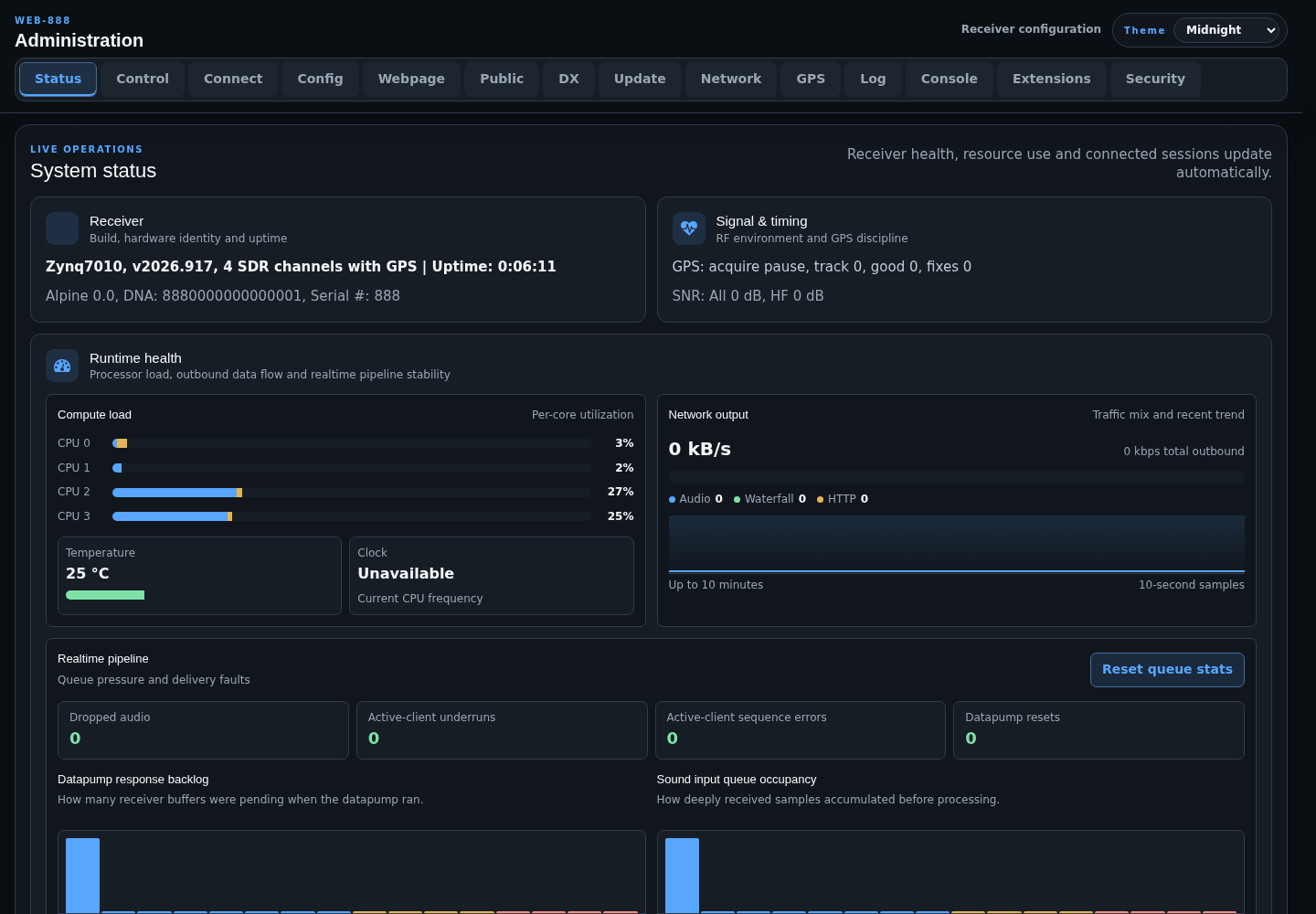
The Receiver and Signal & timing cards show receiver identity, build and operating-system information, uptime, DNA (the unique device ID), serial number, GPS state, ADC clock state, and measured SNR. Any active configuration or runtime problems appear above the cards.
Runtime Health
The runtime dashboard updates automatically and provides:
- per-core CPU utilization and temperature
- current CPU clock when available
- audio, waterfall, and HTTP outbound traffic
- a recent network-output trend
- dropped-audio, underrun, sequence-error, and datapump-reset counters
- datapump backlog and sound-input queue-depth histograms
Use Reset queue stats to clear the realtime pipeline counters after diagnosing a problem.
Active Sessions
The active-session section shows receiver channel use, including background or skimmer connections. Individual session controls can disconnect a selected channel. Use Control > Kick all users when every active receiver session must be disconnected.
Nightly Maintenance
The maintenance indicators show which automatic tasks are allowed to restart the receiver during the nightly maintenance window: community DX database download, automatic software installation, and IP blacklist download. Disable all three corresponding settings if unattended maintenance restarts are not wanted.
Background sessions such as FT8/WSPR autorun and kiwirecorder do not prevent an overnight maintenance restart.
Admin Client
The Admin client card shows the browser user-agent string for the current management session. Include this information when reporting a browser-specific administration problem.
Check Serial Number
If there is a problem with the device during use and you need to contact the support service, please provide the unique serial number assigned to the Web-888 SDR at the time of sale.
Switch to Status and locate Serial # in the Receiver card.