Security Tab
Security Tab
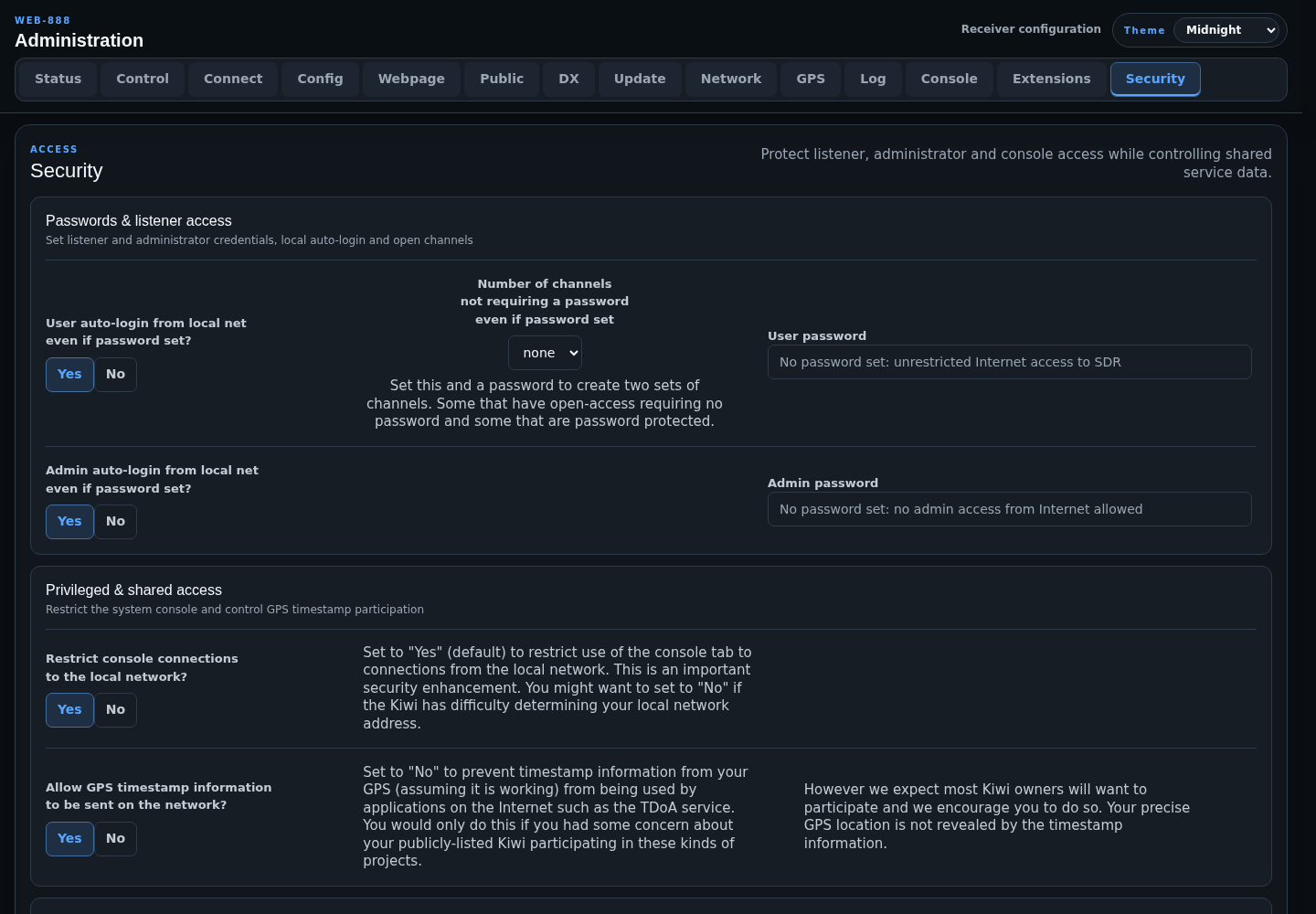
The Security tab controls listener passwords, administrator access, console restrictions, GPS timestamp sharing, and administration reconnect behavior.
Passwords and Listener Access
User Password
Set User password to require authentication from Internet listeners. An empty user password permits unrestricted listener access.
- User auto-login from local net even if password set? lets local-network listeners bypass the user password.
- Number of channels not requiring a password even if password set creates a public pool and a password-protected pool. The maximum is one less than the total receiver-channel count.
The open-channel setting is ignored when no user password is configured.
Admin Password
Set Admin password to protect remote administration. If the field is empty, administration access is not allowed from the Internet and is limited to the local network.
Admin auto-login from local net even if password set? lets local-network administrators bypass the configured password.
Warning
Change the factory administrator password immediately. Store the replacement securely before disabling local auto-login.
Privileged and Shared Access
- Restrict console connections to the local network? defaults to Yes and should remain enabled unless Web-888 cannot correctly identify the local network.
- Allow GPS timestamp information to be sent on the network? controls timestamp use by Internet applications such as TDoA. The timestamp does not reveal the receiver's precise GPS location.
Admin Session Resilience
Automatically reload admin page if server stops responding? defaults to Yes. When enabled, the page reloads after the server or network connection is lost. When disabled, the interface displays a warning instead.