Connect Tab
Connect Tab
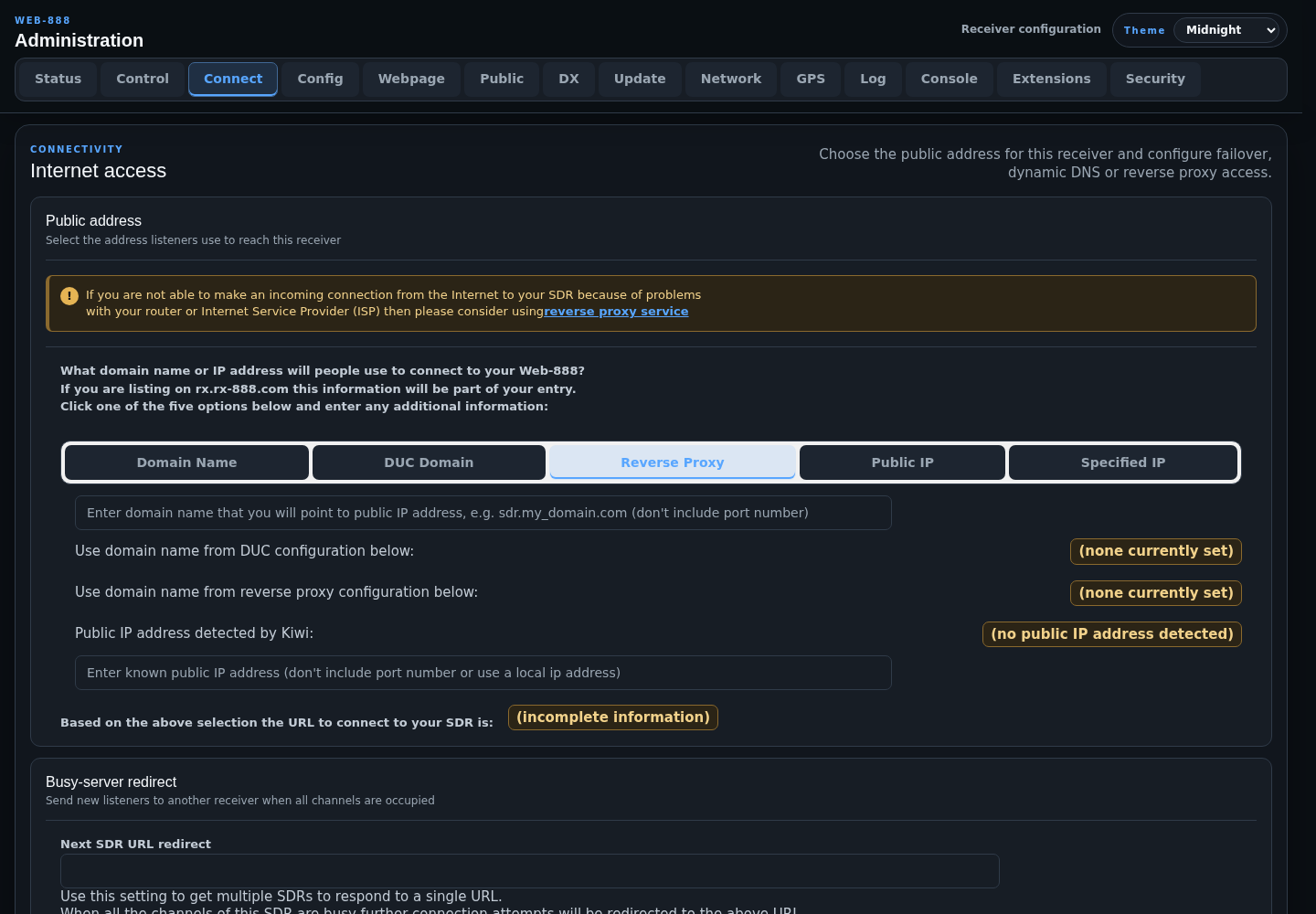
The Connect tab defines the public receiver URL and configures dynamic DNS, busy-server failover, or reverse-proxy access.
For router and public-Internet setup examples, see Open Web-888 to the Internet.
Public Address
Select the address listeners will use:
- Domain Name: a domain you manage and point at the receiver's public IP address.
- DUC Domain: the hostname maintained by the built-in No-IP update client.
- Reverse Proxy: the hostname registered with the Web-888 reverse-proxy service.
- Public IP: the public address detected by Web-888.
- Specified IP: a manually entered public IPv4 address.
Do not include a port number in the domain or IP field. The generated listener URL is shown below the selector and is also used for public-directory registration. Address-selection changes marked by the restart indicator require a server restart.
Busy-Server Redirect
Next SDR URL redirect sends a new listener to another SDR when every channel on this receiver is occupied. Enter the complete destination URL, including its port when needed.
Do not create a redirect cycle such as A -> B -> A. Use a chain that ends at a receiver with no redirect.
Dynamic DNS
The built-in DUC supports a No-IP DDNS key:
- Enter the No-IP username or email, password, and host.
- Select an update interval of 5, 10, 15, 30, or 60 minutes.
- Enable Enable at startup if the client should start with Web-888.
- Press Start or restart DUC to test changed credentials or hostname.
The Status field reports authentication, missing-host, unknown-host, and startup errors.
Reverse Proxy
Use the reverse proxy when direct inbound connections are unavailable because of router or ISP restrictions:
- Enter the assigned user key.
- Choose a lowercase host name using
a-z,0-9,-, or_. - Press Click to (re)register after changing either field.
- Select Reverse Proxy in the Public Address section.
Leave Proxy server hostname at the default service unless you operate a private compatible proxy. Changing the proxy server requires a server restart.