Extensions Tab
Extensions Tab
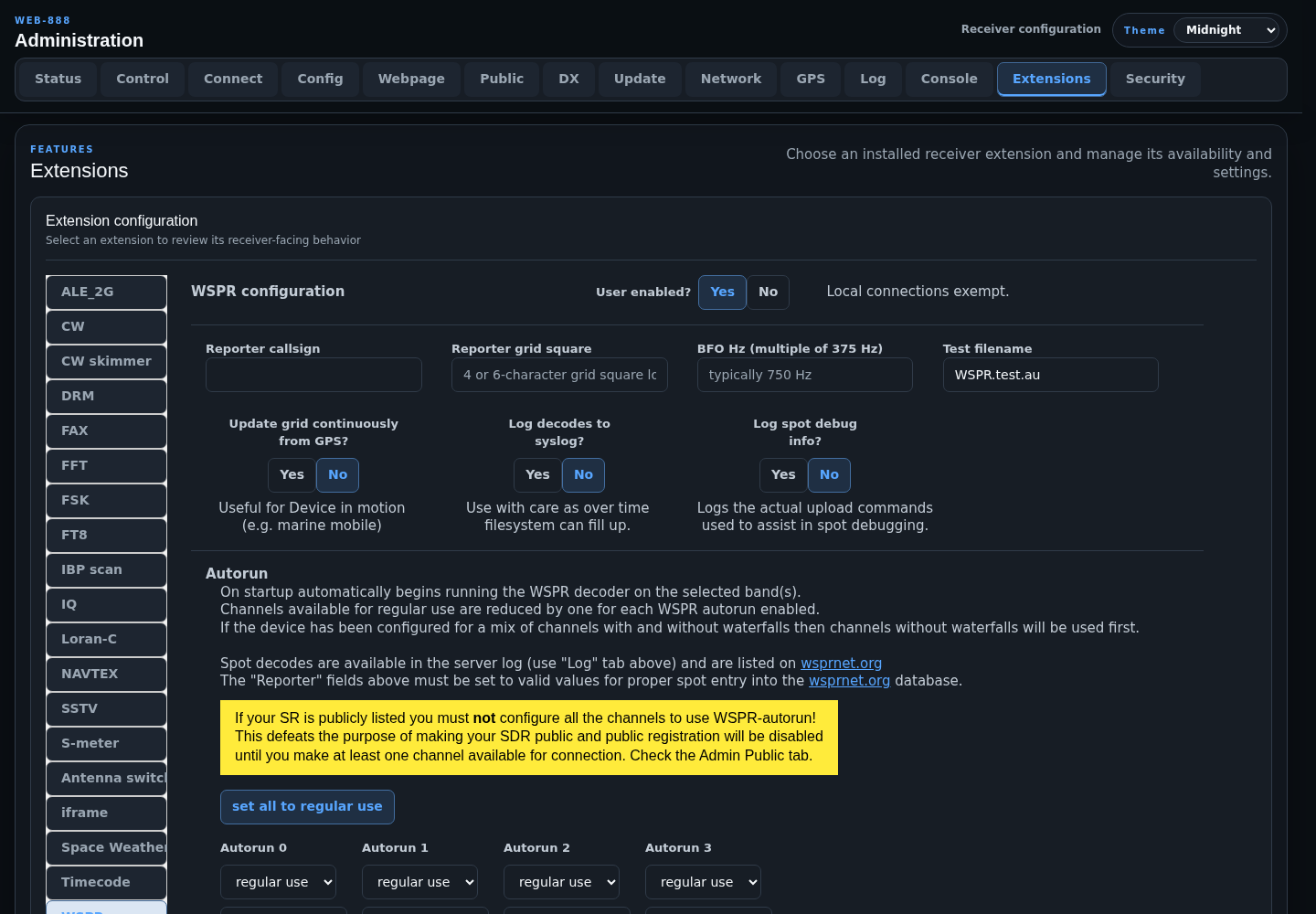
The Extensions tab lists installed receiver extensions and displays the settings supplied by the selected extension.
Extension Availability
Every configurable extension has a User enabled? switch. Disabling it removes the extension from the menu for remote listeners. Local-network connections are exempt and can still open a disabled extension for administration and testing.
The remaining fields are extension-specific. Select an extension in the left navigation to review its configuration.
FT8, FT4, FST4W, and WSPR
The FT8 extension provides FT8, FT4, and FST4W modes. FST4W supports 15, 30, 60, 120, 300, 900, and 1800 second periods for LF/MF weak-signal beacon monitoring. FT8, FT4, FST4W, and WSPR use the configured callsign and grid when uploading reception reports. Their autorun sections assign receiver channels to bands and select whether each autorun job is preemptible.
Each non-preemptible autorun reduces the channels available for ordinary listeners. A publicly listed receiver cannot assign every channel to FT8/FT4/FST4W/WSPR autorun. Use set all to regular use to clear the assignments, and use the extension's autorun restart action after changing a running configuration.
AIS
The AIS extension decodes maritime vessel reports from AIS 1 (161.975 MHz) or AIS 2 (162.025 MHz). Enable it here to make it available in the listener extension menu. It has no receiver-specific station configuration; the listener chooses the AIS channel in the extension.
ACARS
The ACARS extension decodes VHF aircraft communications. Enable it here to make it available in the listener extension menu. It has no receiver-specific station configuration; listeners select an active regional ACARS channel in the extension and receive decoded aircraft and message details.
Antenna Switch
The Antenna switch extension uses six expansion GPIOs. Configure antenna names before they can be selected in the receiver interface. Its page also controls switching permissions and optional single-user, mixing, and thunderstorm behaviors.
Space Weather
The Space Weather extension displays solar flux, planetary K/A indices, X-ray background, solar-wind magnetic field, and a three-day K-index forecast from NOAA SWPC.
Set Refresh interval from 10 to 180 minutes; the default is 60 minutes. The listener's browser fetches the public NOAA feeds while the extension is open, so that browser requires Internet access.
Extension Interface
Built-in extensions follow the selected Midnight, Ember, or Classic theme. Control rows adapt to smaller screens, and long content remains accessible without a second scrollbar inside the extension panel.