DX Tab
DX Tab
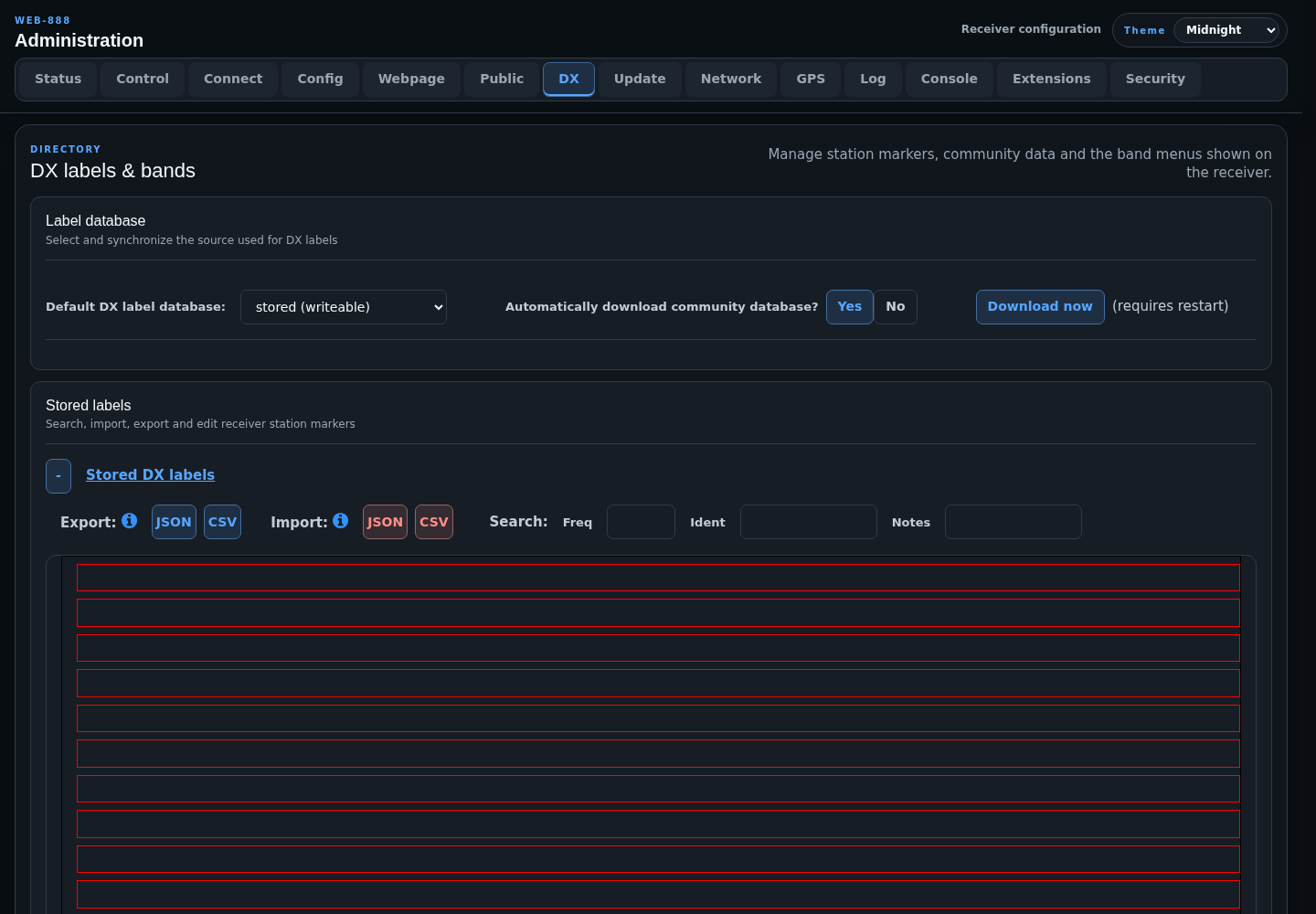
The DX tab manages receiver station labels, the optional community database, band bars, and the band/service menus shown to listeners.
Info
DX administration is not available on mobile devices. Use a desktop or tablet-sized browser.
Label Database
- Default DX label database selects the stored or community label source used by the receiver.
- Automatically download community database? permits scheduled community-data updates.
- Download now retrieves the current community data and requires a server restart.
The automatic-download setting appears on the Status tab as a possible source of an overnight restart.
If dxcfg.json or dx_community_config.json is corrupt, the page reports the parse error and stops before presenting unsafe edit controls. The files are stored under /root/kiwi.config/.
Stored DX Labels
The stored-label editor can:
- search by nearest frequency, identifier, or notes
- add, duplicate, edit, and delete station labels
- export labels as JSON or CSV
- import JSON or CSV into
dx.json
Identifier and notes searches wrap to the beginning when Enter is pressed repeatedly. Ordinary label edits are saved and reflected in active receiver connections. Importing a complete file replaces the stored label database and requires a restart.
DX Type Menu
The DX type list defines the entries available in the Type menu when editing a label. Type codes are stored in dx.json; changing or deleting a code affects labels that reference it.
Band Bars
Band bars define the colored ranges and select band entries shown on the receiver. Keep ranges and service assignments consistent so tuning menus and labels describe the same spectrum.
Band Service Menu
The service list defines the services available to band-bar entries. A service includes a short name, color, and optional long name. A blank name is replaced with (blank), and invalid colors are rejected.