Webpage Tab
Less than 1 minute
Webpage Tab
The Webpage tab customizes the identity, location, image, and browser metadata shown to receiver users.
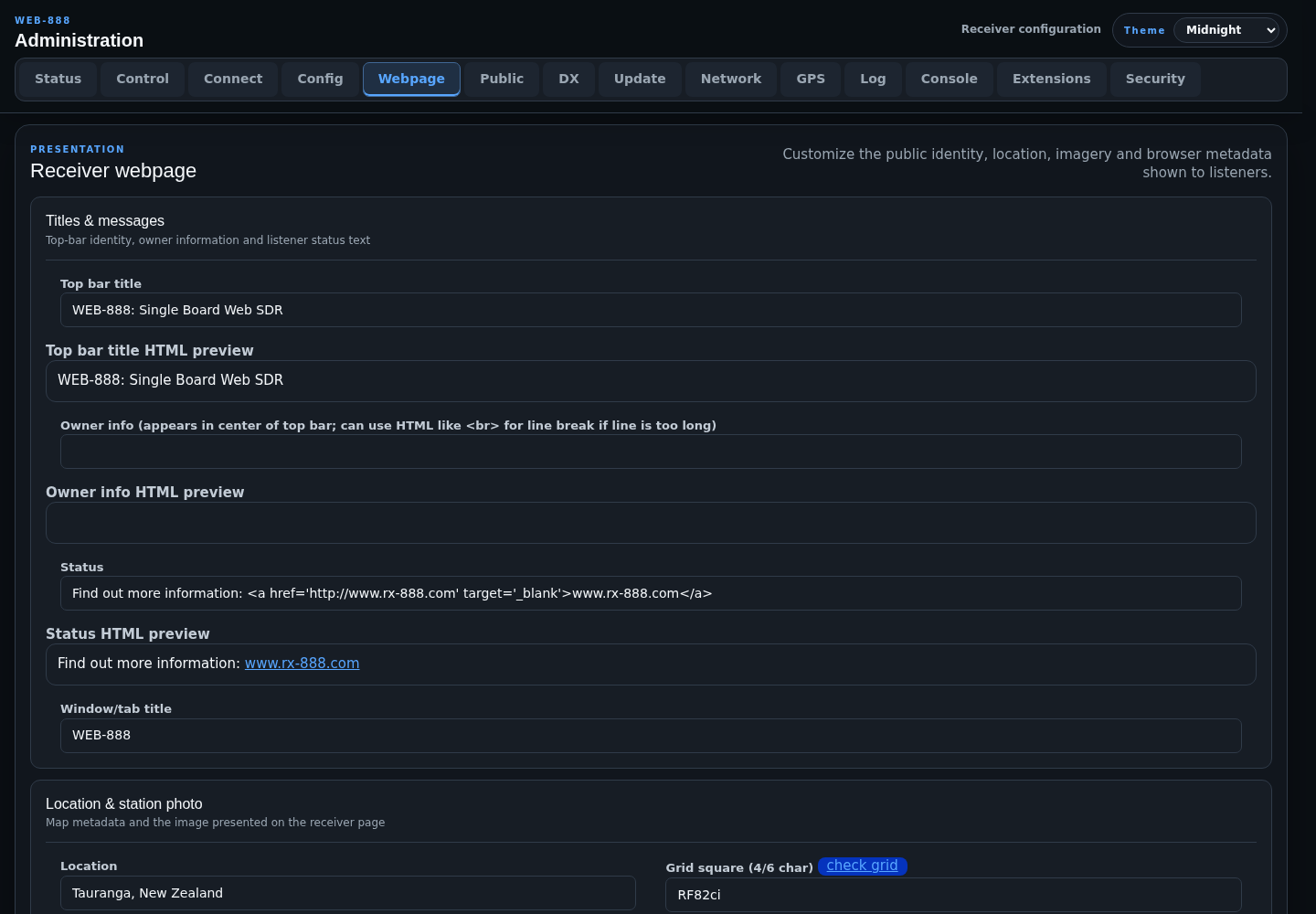
Titles and Messages
- Top bar title is the main receiver heading.
- Owner info appears in the center of the top bar.
- Status is the listener-facing site-status message.
- Window/tab title sets the browser page title.
Top bar title, owner info, and status accept HTML and provide an immediate preview. Changes are reloaded into the receiver page after saving.
Location and Station Photo
- Location is the station location text.
- Grid square accepts a 4 or 6-character Maidenhead locator and provides validation and a GPS-derived value when available.
- Altitude is the station height above sea level in meters.
- Map accepts Google Maps format or latitude/longitude and can be filled from GPS.
- Photo file uploads the station image.
- Photo left margin changes image alignment and requires a server restart.
- Photo maximum height accepts 0-4000 pixels.
- Photo title and Photo description provide image metadata.
Photo upload is allowed only from the local network. A successful upload is visible after reloading the receiver page or opening a new connection.
Delivery and Custom Markup
- Web server caching? should normally remain enabled. Disable it when an intermediary cache causes missing or stale interface assets.
- Additional HTML/Javascript for HTML
<head>element inserts custom markup such as analytics code.
Submit the custom-head text by pressing Enter while the cursor is at the end of the field.
Warning
Invalid custom HTML or JavaScript can prevent the receiver page from loading correctly. Keep a copy of known-good content before changing this field.