Network Tab
Network Tab
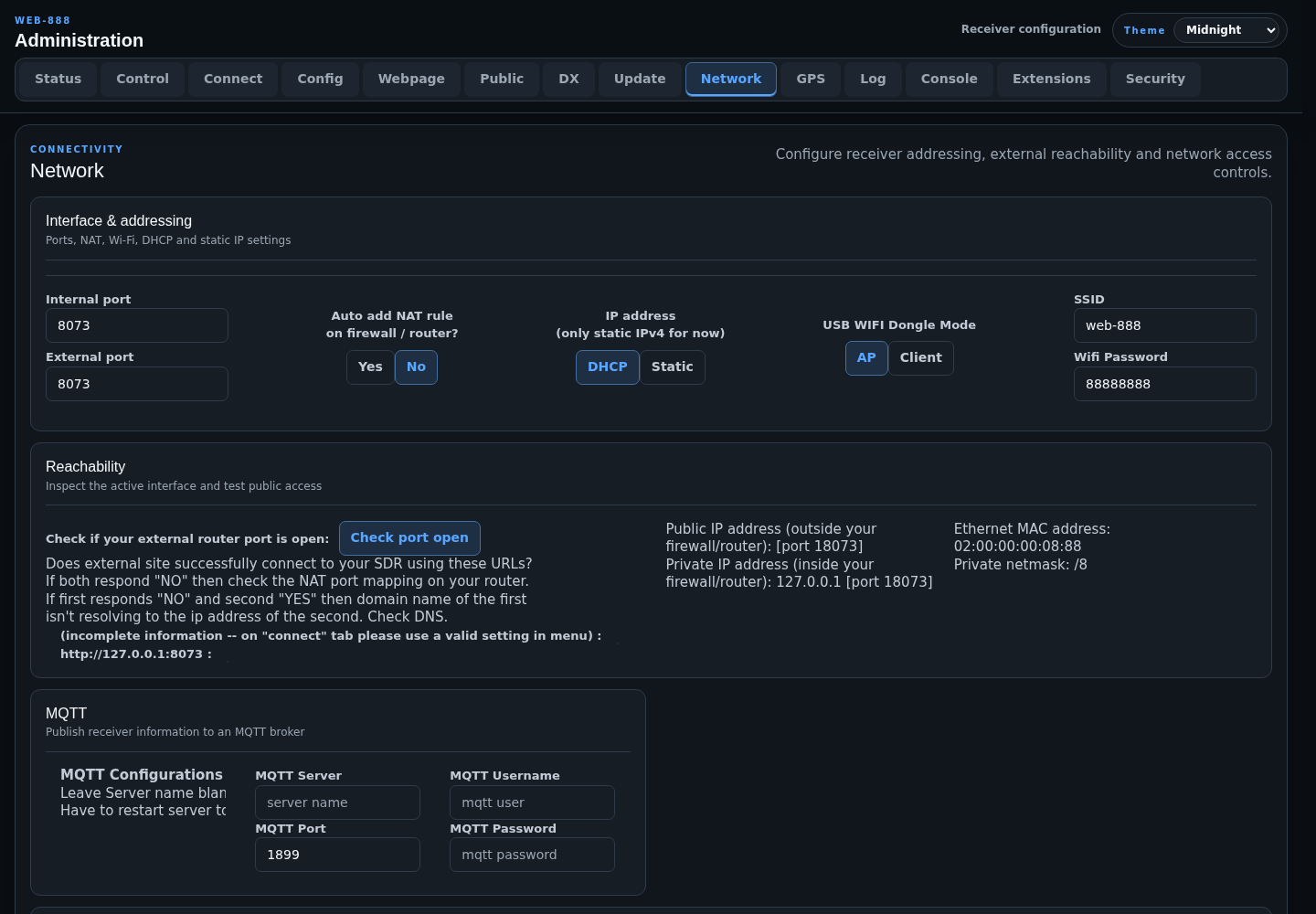
The Network tab configures receiver ports, addressing, Wi-Fi, public reachability, MQTT, and IP access controls.
Interface and Addressing
- Internal port is the port used by the Web-888 service on the device.
- External port is the public-facing port used by router forwarding and reachability checks.
- Auto add NAT rule on firewall/router? asks Web-888 to manage a UPnP NAT rule when the router supports it.
- IP address selects DHCP or static IPv4 configuration.
- USB WIFI Dongle Mode selects access-point or client operation.
- SSID and Wifi Password configure the USB Wi-Fi client or access-point connection.
HTTPS controls are development-only and are normally hidden.
Port and Wi-Fi controls marked by the restart indicator require a server restart.
Static IPv4
Static mode requires an IP address, netmask, and gateway. DNS-1 and DNS-2 are optional; when both are blank, DNS servers supplied by DHCP are used. Use well-known public DNS servers fills DNS-1 with 1.1.1.1 and DNS-2 with 8.8.8.8.
Web-888 validates the IPv4 fields before showing the confirmation button. Applying a DHCP/static change updates the interface configuration and requires a device reboot.
Warning
An incorrect static IP, netmask, gateway, or Wi-Fi setting can make the administration page unreachable. Record the previous working settings before applying a network change.
Reachability
The page shows active network configuration and can test whether the external receiver port is reachable. Check port open tests both the configured domain URL and the current IP-based URL:
- If both report NO, check the router NAT/port-forwarding rule.
- If the domain reports NO but the IP reports YES, check the domain's DNS record.
The public address itself is selected on the Connect tab.
MQTT
Enter the broker server, port, username, and password to publish Web-888 events. Leave MQTT Server blank to disable MQTT. A server restart is required after changing MQTT configuration.
Published topics use the receiver-specific prefix web888/<client-id>/ and include receiver statistics, lifecycle events, FT8 reports, and WSPR reports when those producers are enabled.
Access Controls
- Download retrieves the standard Web-888 IP blacklist.
- Clear removes the downloaded blacklist.
- Automatically download IP blacklist? permits scheduled blacklist refreshes and may allow an overnight maintenance restart.
- Prevent multiple connections from the same IP address? limits duplicate client sessions.
- Downloaded blacklist is read-only.
- Local blacklist accepts local addresses and CIDR ranges, such as
1.2.3.0/24.
Prefix a local entry with + to whitelist it. Place the whitelist entry after the broader blocked range it overrides, for example:
1.2.3.0/24
+1.2.3.22
Submit local blacklist changes by pressing Enter while the cursor is at the end of the text.