Console Tab
Console Tab
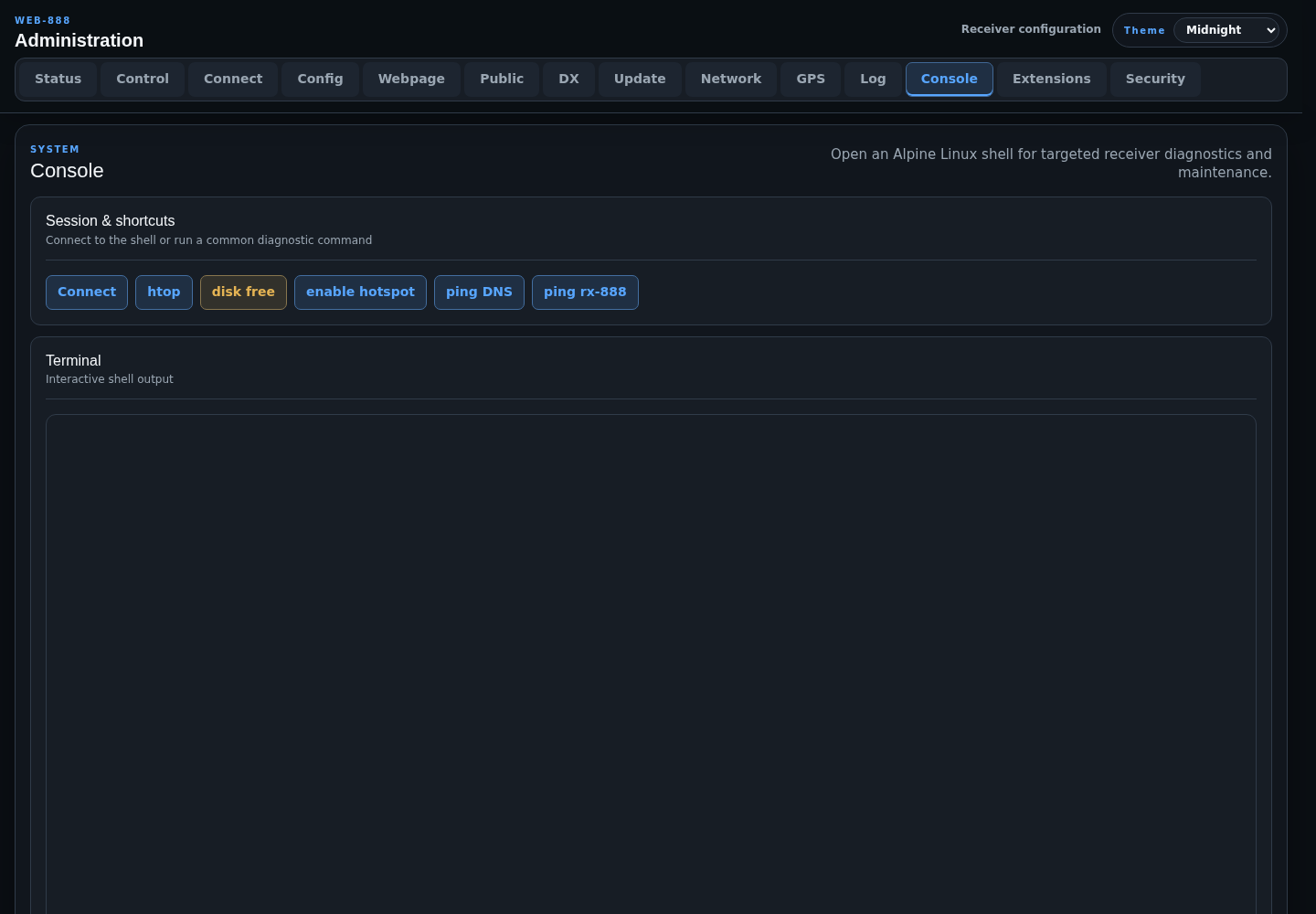
The Console tab opens an interactive Alpine Linux shell on the Web-888 device for diagnostics and maintenance.
Caution
Console commands run with the receiver's system privileges. An incorrect command can stop services, damage configuration, or make the device unreachable. Use the prepared shortcuts or commands you understand.
Connect and Shortcuts
Press Connect before typing commands. The available shortcuts are:
- htop: display interactive process and CPU activity.
- disk free: run
df -H /media/mmcblk0p1. - enable hotspot: run
/root/wifi/hotspot.sh. - ping DNS: test
1.1.1.1and8.8.8.8. - ping rx-888: test connectivity to the Web-888 website.
Terminal Input
Desktop browsers use character-oriented terminal input. On Windows, press Ctrl+V twice quickly for clipboard paste; on macOS, use Command+V.
On mobile or line-oriented layouts, enter a command in the input field. Dedicated buttons send common control keys including ^C, ^D, ^\, ^P, and ^N.
The terminal handles ANSI cursor and color sequences, so interactive utilities such as htop can render in the browser.
Access Restriction
By default, console connections are restricted to clients detected on the local network. This policy is configured under Security > Privileged and Shared Access.