Interface and Themes
Interface and Themes
Web-888 includes a responsive interface shared by the receiver, administration pages, and extensions. The receiver controls and waterfall keep the same behavior while adapting their layout to desktop, tablet, and phone screens.
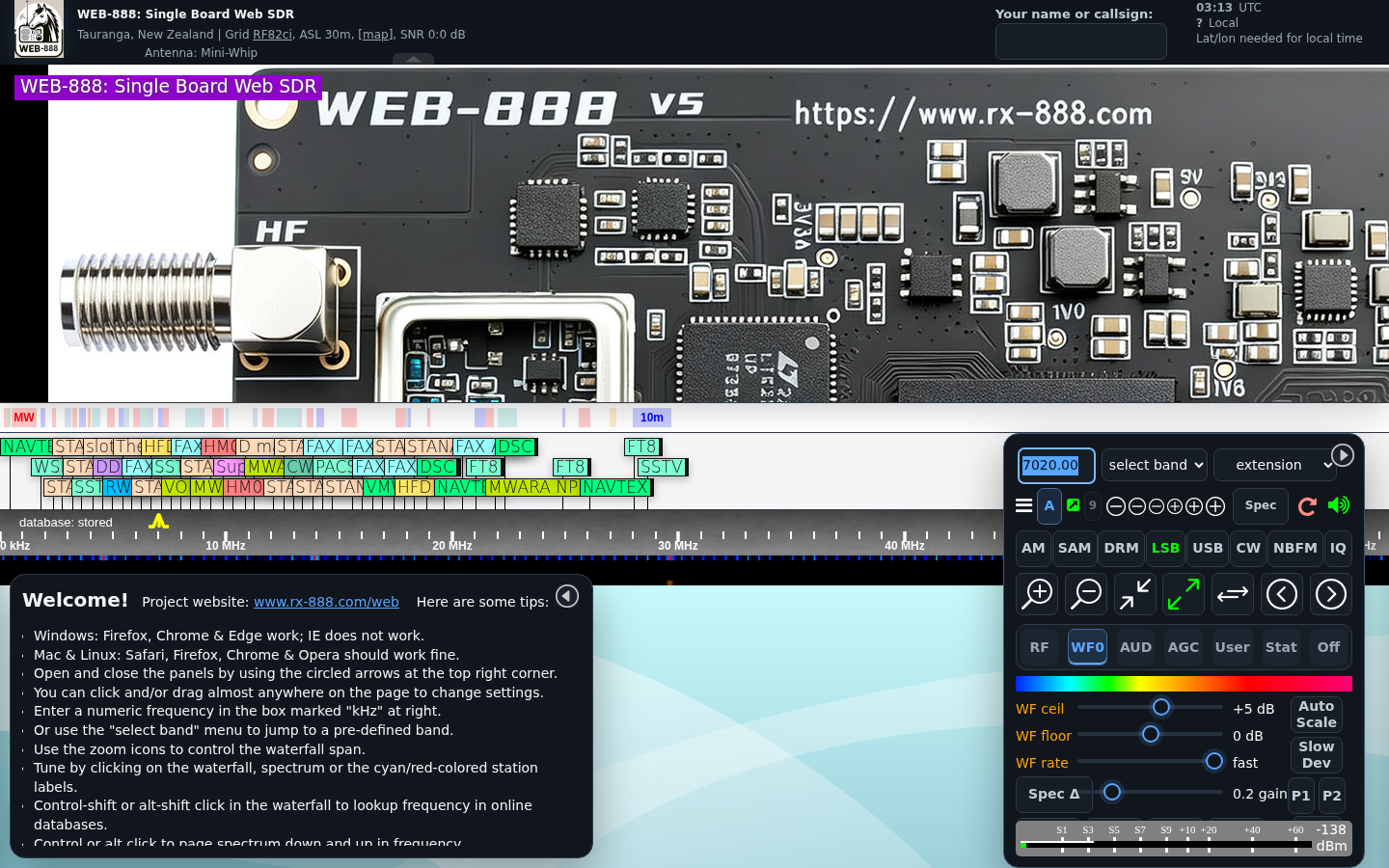
Select a Theme
Use the Theme menu in the receiver header or administration header:
- Midnight: the default dark theme, optimized for low-light listening.
- Ember: a warmer dark theme with amber highlights.
- Classic: the traditional Web-888/KiwiSDR appearance for users who prefer the original color scheme.
The selection is saved in the browser and is reused by the receiver, administration interface, and extensions. Theme selection does not change the waterfall colormap; choose the waterfall colors separately from the WF controls.
Phone and Tablet Layouts
On narrow screens, controls are compacted and rearranged so the receiver remains usable without horizontal scrolling. Use the control-panel show and hide buttons when you need more space for the spectrum and waterfall.
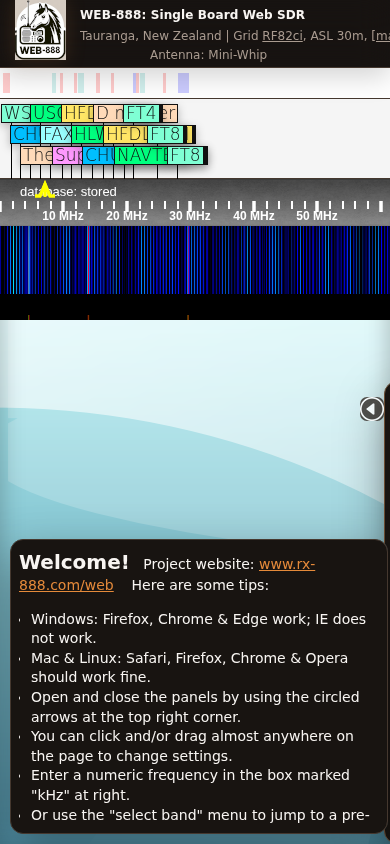
The phone layout supports the same two-finger spectrum gestures described in Dashboard.
Keyboard Operation
The receiver panels, controls, administration navigation, and extension controls can be operated with a keyboard:
- Press Tab and Shift+Tab to move between controls.
- Press Enter or Space to activate the focused button, tab, or selectable panel.
- A visible focus outline shows the currently selected control.
- Interface animation is reduced when the browser or operating system requests reduced motion.
Administration Interface
Administration pages use grouped sections, status cards, descriptive field text, and layouts that adapt to smaller screens. Long pages scroll normally, and the theme selector remains available in the header.
See Status, Control, and Configuration for the updated controls.