Updates Tab
Less than 1 minute
Updates Tab
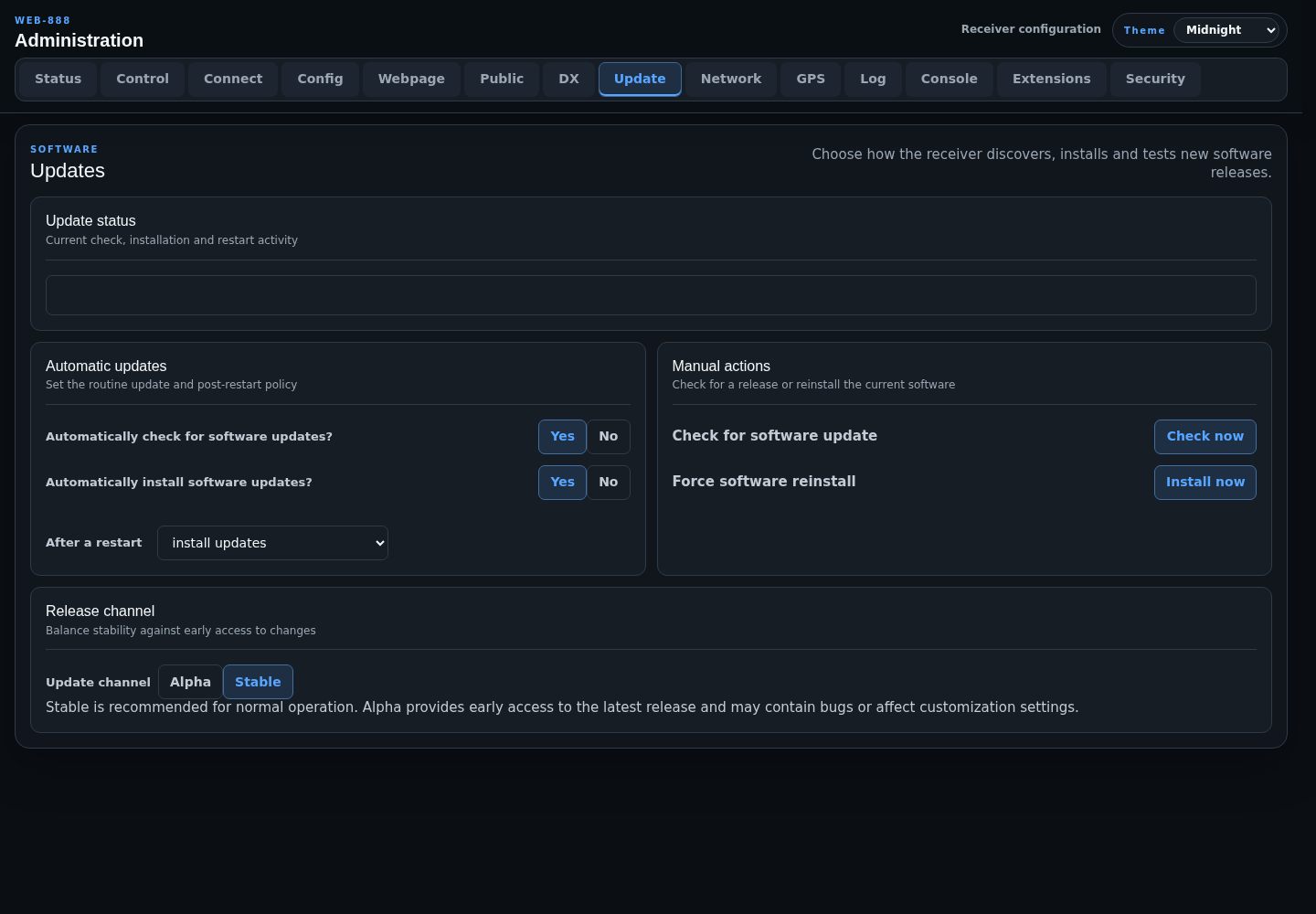
The Updates tab controls how Web-888 checks for and installs server software releases.
Update Status
The status panel reports the current update check, installation, and restart activity. Leave the page open while a manual action is running to follow its progress.
Automatic Updates
- Automatically check for software updates? enables or disables routine release checks.
- Automatically install software updates? controls whether a discovered release is installed automatically.
- After a restart selects one of two policies:
- install updates: install a pending update during startup.
- delay updates until overnight: defer installation to the overnight maintenance period.
The Status tab shows whether automatic software installation is currently a possible source of an overnight server restart.
Manual Actions
- Check now checks the configured release channel without forcing an installation.
- Install now forces a software reinstall and displays the build/restart workflow.
Do not interrupt power while an installation is running.
Release Channel
- Stable is recommended for normal operation.
- Alpha provides early access to the newest release and may contain bugs or affect customization settings.
Changing the channel affects subsequent checks and installations; it does not itself install a release.